


As cyberattacks grow more common, passwords no longer provide sufficient safeguards against unauthorized account access. Multi-factor authentication (or MFA) adds an extra layer of protection against threats like phishing attacks, increasing security for your business and your customers. That’s why Salesforce requires MFA when accessing Salesforce products. To help your users satisfy this requirement, MFA is automatically enabled for direct logins to your products.

MFA FAQ
MFA Requirement Checker

Requirement Announcement
Auto-Enablement / Enforcement Notices

MFA Enforcement Roadmap
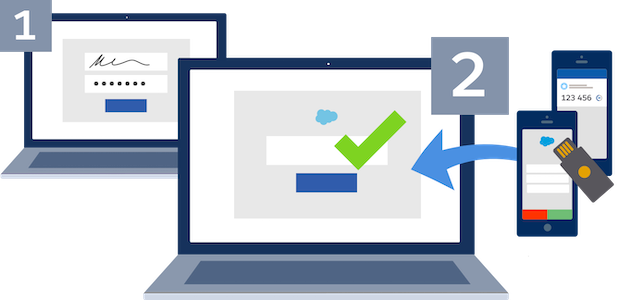
How MFA Works
MFA requires a user to validate their identity with two or more forms of evidence — or factors — when they log in. One factor is something the user knows, such as their username and password combination. Other factors are verification methods that the user has in their possession. While there’s a risk that a password may be compromised, it’s highly unlikely that a bad actor can also gain access to a strong verification method like a security key or authentication app.
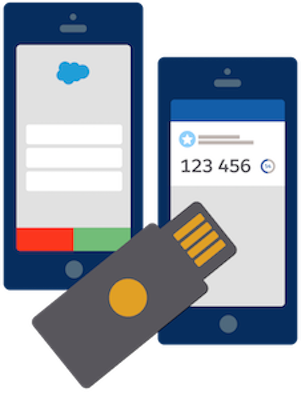
Salesforce MFA for Direct Logins
Salesforce offers simple, innovative MFA solutions that provide a balance between strong security and user convenience. Salesforce products support several types of strong verification methods to satisfy your business and user requirements.
- Salesforce Authenticator Mobile App: A fast, frictionless solution that makes MFA verification easy via simple push notifications that integrate into your Salesforce login process. Use this app to increase security while driving a better user experience.
- Third-Party Authenticator Apps: Mobile, desktop, and browser extension apps that generate time-based one-time password (TOTP) codes for MFA verification. There are many apps available, including Google AuthenticatorTM, Microsoft AuthenticatorTM, and AuthyTM.
- Security Keys: Small physical devices that are easy to use because there’s nothing to install and no codes to enter. Security keys are a great solution if mobile devices aren’t an option for your users. Salesforce supports USB, Lightning, and NFC keys that support the WebAuthn or U2F standards, including Yubico’s YubiKeyTM and Google’s TitanTM Security Key.
- Built-In Authenticators: An authenticator service that’s built into a computer or mobile device, such as Windows HelloTM, Touch ID(R), or Face ID(R). These services simplify MFA verification by eliminating the need for a separate authentication device or app.
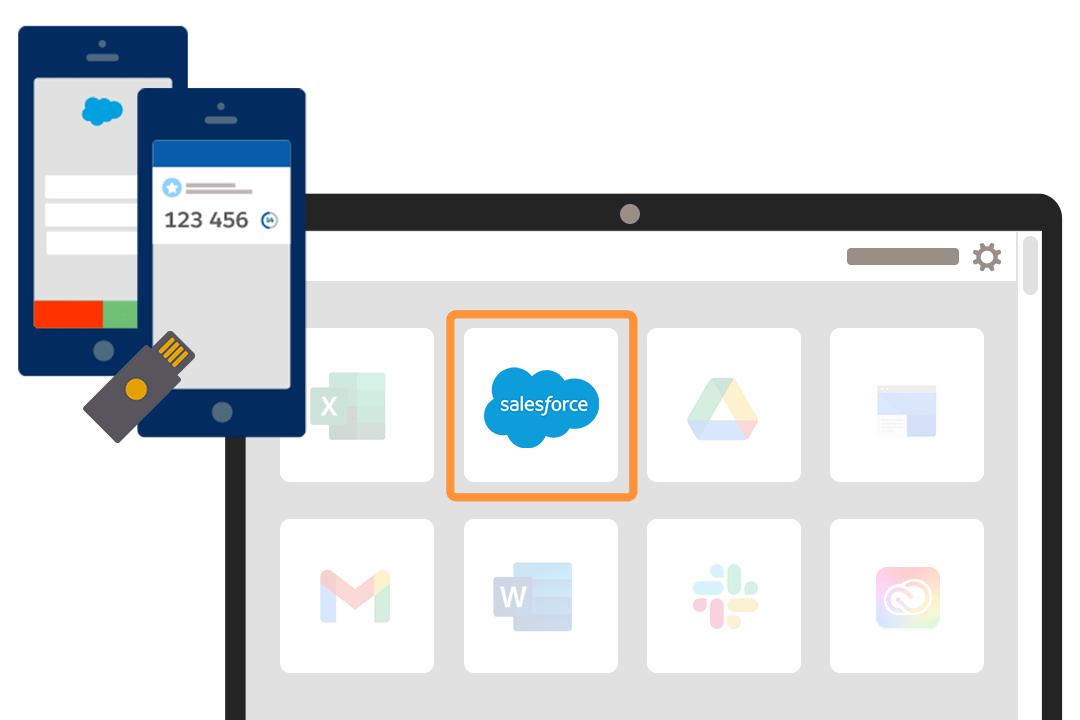
MFA for Single Sign-On (SSO)
Do your users regularly access multiple apps during the course of their day? Your best option is to combine MFA and SSO, so you can deliver enhanced security along with a convenient, simplified login experience.
If you’ve already integrated your Salesforce products with an SSO solution, ensure that MFA is enabled for all your Salesforce users. You can use your SSO provider’s MFA service. Or, for products that are built on the Salesforce Platform, you can use the free MFA functionality provided in Salesforce instead of enabling MFA at the SSO level.
Customer Story
Shiseido Secures Customer Data with Multi-Factor Authentication
Learn More About MFA
The Total Economic Impact of MFA from Salesforce

To Make MFA Work for Your Company, Meet Your Workforce Where They Are

How to Use Salesforce Authenticator for MFA Logins

MFA Rollout Pack
Prepare Your Users for MFA
MFA Help for Your Salesforce Products
Everything You Need to Know About MFA for Salesforce Orgs

MFA Help for Products Built on the Salesforce Platform
Help Users Resolve MFA-Related Access Issues
MFA Help for B2C Commerce Cloud
MFA FAQ for B2C Commerce Cloud
MFA Help for Heroku
MFA FAQ for Heroku
MFA Help for Marketing Cloud Engagement
MFA FAQ for Marketing Cloud Engagement
MFA Help for Marketing Cloud Intelligence
MFA Help for Marketing Cloud Social
MFA Requirement for Anypoint Platform
MFA Help for Anypoint Platform
MFA Help for Tableau Cloud

MFA Guidance for Salesforce Partners
Looking for guidance on how you and your customers can satisfy the MFA requirement? Check out the MFA Requirement page in the Partner Community, your central place for partner-related MFA resources. A partner community login is required.